
Frequently Asked Questions
When is my Safe Deal payment released?
Open Safe Deal in your Jiji profile and select the order. Check its payment status.
Make sure you have added or confirmed your payout details during Safe Deal setup. To check them, open your Jiji profile, then Settings → Safe Deal. Use the payment method shown for your account.
The buyer pays through Safe Deal before you send the item. The payment is held securely during delivery.
When the order is marked as delivered, a 24-hour confirmation window starts. Payment is released after that window ends, even if the buyer confirms receipt earlier, unless the buyer reports a problem.
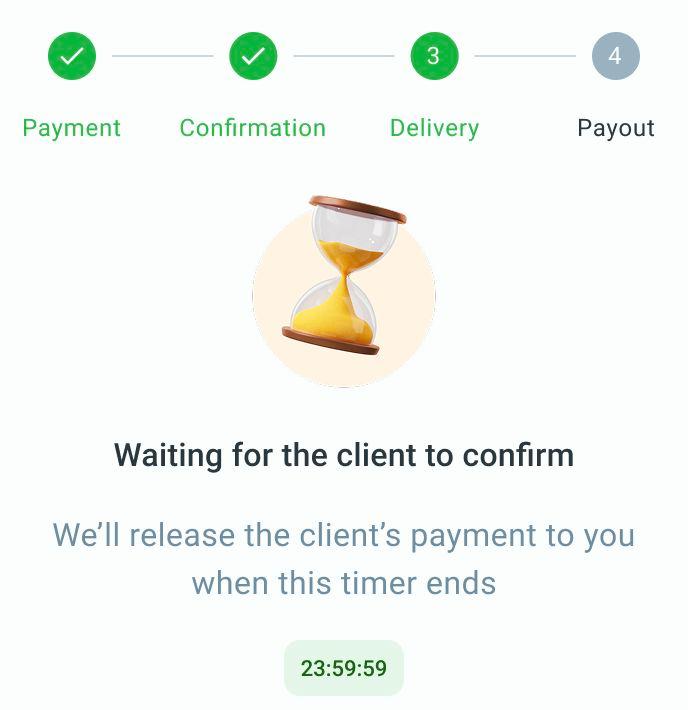
The seller’s order shows the countdown before payment is released.
If the buyer reports a problem, your payment stays on hold while Jiji Support reviews it. Open the order and, if Attach proof of delivery is available, select it and follow the proof submission steps. A chat with Jiji Support opens. Send the requested evidence in that chat. If your file does not upload, attach it again in the chat. A receipt from the delivery service or a photo of the handover can help show that you gave the item to the courier or buyer. Keep this evidence and provide any details support requests.
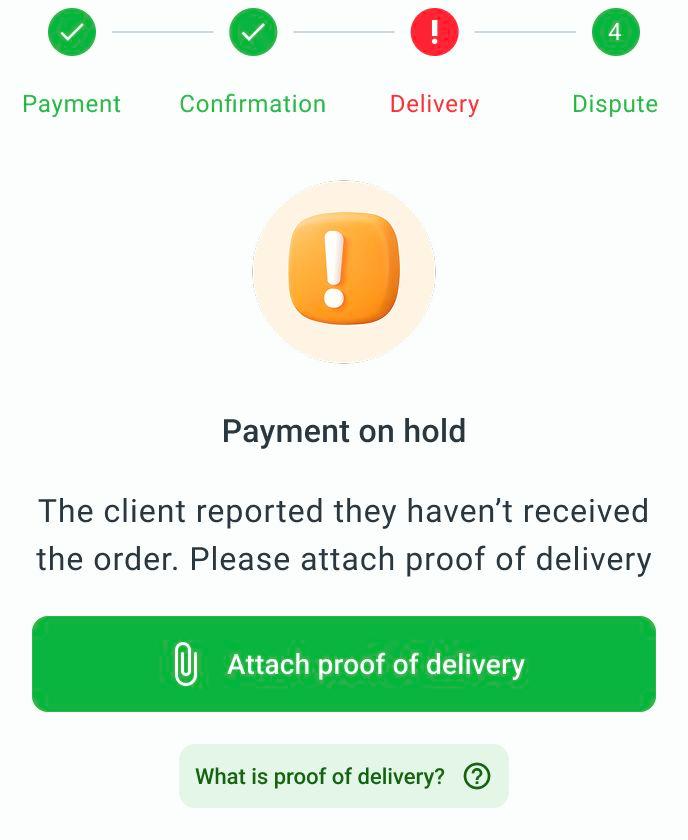
If a dispute is open and this action is available, attach your proof of delivery from the order.
Support tells you the outcome. A dispute does not guarantee a full refund to the buyer or a payment to you.
Check your order for the payment status. The end of the confirmation window does not mean the money has already reached your bank account or payment account. If you need help with a released payment, contact Jiji Support with the order number.
For help, email support@jiji.ng and include the order number, if you have one.
