
Frequently Asked Questions
When should I confirm receipt?
Confirm receipt only after you have received and checked the item. Make sure it matches the ad and includes everything agreed with the seller.
- Open Safe Deal in your Jiji profile and select the order.
- If everything is correct, select I’ve received my order and confirm in the popup.
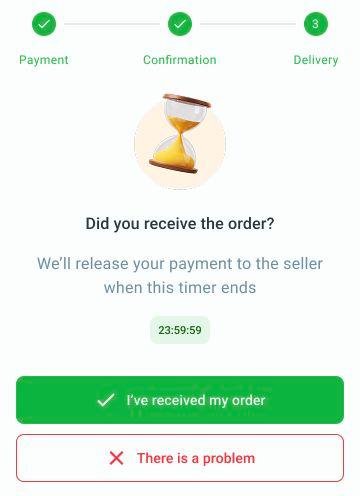
Check the item before selecting I’ve received my order. Use There is a problem if something is wrong.
If the item arrives while the order still shows as shipped, check it, select I’ve received my order if available and confirm in the popup. This marks it as delivered and starts the 24-hour window. Confirming receipt does not release payment before that window ends.
The 24-hour confirmation window starts when the order is marked as delivered. Payment is released when the full window ends, even if you confirm receipt earlier. If the item has not arrived, is damaged or does not match the ad, select There is a problem before the countdown ends. This opens a chat with Jiji Support. Explain the issue and share photos if needed. Payment stays on hold while Jiji Support reviews it and tells you the outcome and any return or refund instructions. Reporting a problem does not guarantee a full refund.
If you take no action, payment is released when the countdown ends. Check the order if you have not received the item, and do not ignore a delivered status.
Read how to cancel an order or request a refund.
If the countdown has ended or There is a problem is unavailable, email support@jiji.ng with the order number and a description of the issue. Support will explain the next steps. Contacting support does not guarantee a refund.
