
Frequently Asked Questions
How does Safe Deal work for buyers?
With Safe Deal, you pay through the checkout on Jiji. Your payment is held securely during delivery. The seller arranges delivery, and you follow the order in Safe Deal in your profile.
- Choose an ad with Safe Deal and check the item details with the seller in Jiji Chat.
- Select Buy with Safe Deal on the ad. Enter your delivery details and check the total before paying through Safe Deal.
- Wait for the seller to accept and send your order. Check its progress in your profile.
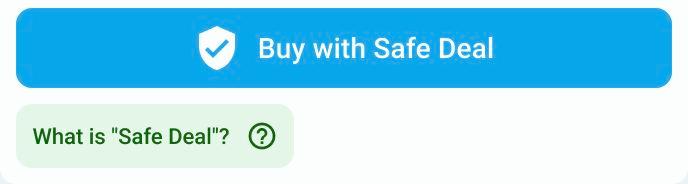
Start from an ad with Safe Deal.
If payment is unfinished, open Safe Deal in your profile, select the unpaid order and use its payment action to continue. Check the deadline shown. If you have already been charged, contact Jiji Support before trying again.
Pay only through the checkout on Jiji. Do not send an advance payment directly to the seller or use a payment link sent in chat.
The seller can extend the deadline by 7 days once. If they do, check the updated date in your order. For an order with tracking, this extends the time to send the item and add tracking, not a promised arrival date. For direct delivery, it extends the delivery deadline. If the new date does not work for you and the order is not marked as delivered, open the three-dot menu (⋮) and select Request refund to contact Jiji Support. This request does not cancel the order immediately.
Your 24-hour confirmation window
Once the order is marked as delivered, you have 24 hours to check the item. If everything is correct, select I’ve received my order and confirm in the popup. Payment is released only after the full window ends, even if you confirm receipt earlier, unless you report a problem.
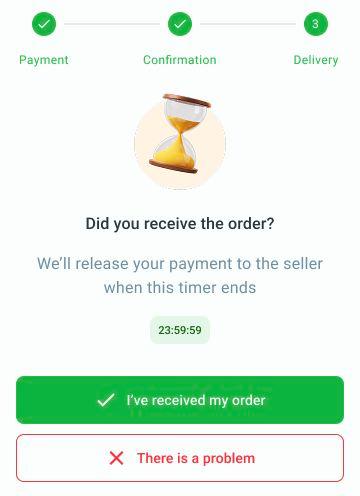
Confirm only after checking the item. Report a problem before the countdown ends.
If the item has not arrived, is damaged or does not match the ad, select There is a problem in the order before the countdown ends. This opens a chat with Jiji Support. Describe what happened and share photos if needed. Your payment stays on hold while Jiji Support reviews the issue. Support tells you the outcome and any return or refund instructions. Reporting a problem does not guarantee a full refund.
Read how to cancel an order or request a refund.
If the countdown has ended or There is a problem is unavailable, email support@jiji.ng with the order number and a description of the issue. Support will explain the next steps. Contacting support does not guarantee a refund.
