
Frequently Asked Questions
What's new in Pro Sales: Bid Groups
We've updated Pro Sales! Now you can set different bids for different ads within one campaign using Bid Groups.
Bid Groups
Previously, one bid applied to all your promoted ads. Now you can split your ads into groups and set a separate bid for each group — bid higher in competitive categories and lower where clicks cost less.
- Your existing bid was automatically moved to the Default group together with your ads, so your campaign keeps working as before until you change something. The Default group can't be renamed or deleted.
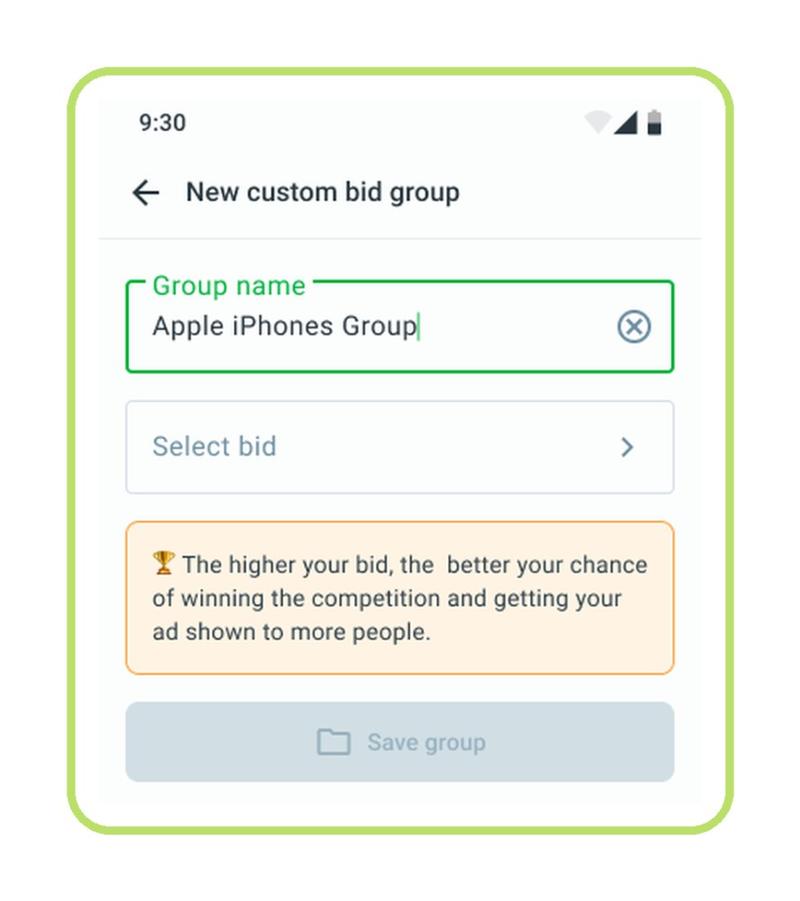
- You can have up to 20 groups. Each group must have a unique name (up to 20 characters) and a unique bid.
- To manage groups, open Pro Sales and click Group bids. If your groups have different bids, you'll see the bid range on the main Pro Sales page.
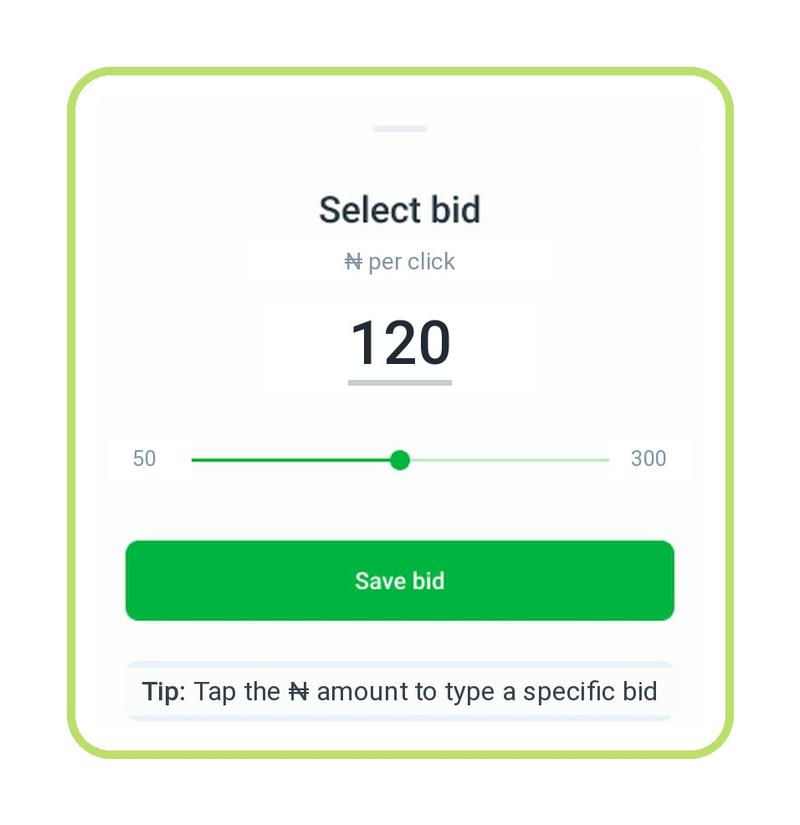
- The available bid range for a group depends on the categories of the ads in it, so different groups may have different limits.
- Your maximum bid no longer depends on your Boost Package — the same limits apply to everyone.
Creating a new group:
Choosing a bid for the group:
Pausing individual ads
To stop promoting a specific ad, select it and choose Stop promo — the ad moves to the Not Promoted group. You can return it to any group whenever you want. Note that the ad won't rejoin the campaign on its own: if you paused it, it stays paused until you move it back.
How competitive is your bid?
When you set a bid, we show its position among other sellers' bids in the same category — for example, "85% Strong position". The higher the percentage, the better your chances of winning promo slots. The indicator appears when there are enough promoted ads in the category to compare with.
My balance
The balance block now shows what your Pro Sales money consists of:
- Cashback — bonuses you get for buying packages or topping up;
- Pro Sale balance — money you added specifically for Pro Sales;
- Jiji Balance — your main balance for any Jiji services.
If you don't want Pro Sales to spend your main Jiji Balance, turn off the "spending" switch next to it. Clicks will then be paid only from your Cashback and Pro Sale balance. Keep in mind: if the remaining funds drop below the required minimum, your campaign will pause until you recharge.
Tips and statistics
- Personalized tips on the main page, group pages, and ad pages suggest how to get more traffic — for example, when your bid is lower than competitors' bids or when ads in a group get few clicks.
- Each group and ad shows the number of ads, clicks, and the amount spent over the past 7 days.
- On an ad's page you can pick a period (yesterday, 7, 14, or 30 days) and see impressions, clicks, conversions, and spend, as well as the bid history for the last 30 days.
