
Promoted
Lagos, Ikeja, 23 min ago
39 views
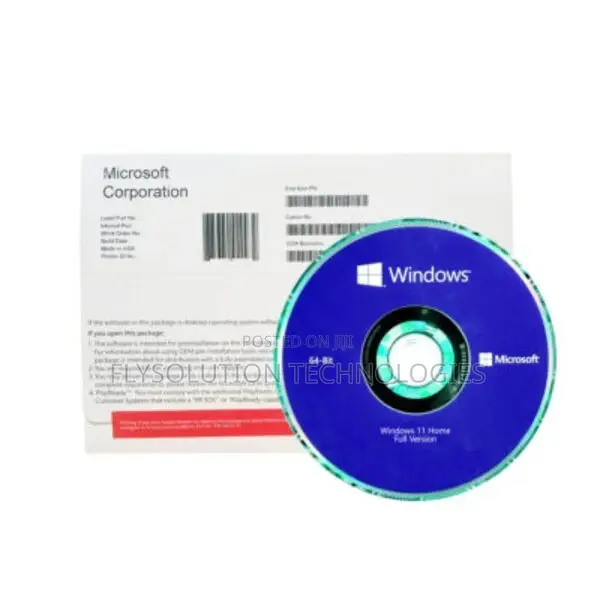
Microsoft Office Windows 10 Pro 64bit
Microsoft Office
Software Name
Operating System
Software Type
Windows
Platform
DVD
Format
Windows 10
Operating System Type
Store address
Lagos State • Ikeja
10, Medical Road, Ikeja Lagos
The Bond Plaza
Beside Zenith Bank once you locate zenith along Medical Road call me I will give you directions
Closed now
• Mon - Sat, 09:00-18:00
Lagos State • Ikeja
No1 pepple street, Ikeja computer village, Lagos State
Once you get to No1 pepple junction computer village, give me a call 📞 I will direct you to my shop
Closed now
• Mon - Sat, 09:00-18:00
Microsoft windows 10 home 32/64 bit multilanguage online product key 1 electronic license
The 64-bit version is installed by default unless Microsoft 365 detects you already have a 32-bit version of Microsoft 365 (or a stand-alone Microsoft 365 app such as Project or Visio) installed. In this case, the 32-bit version of Microsoft 365 will be installed instead.To change from a 32-bit version to a 64-bit version or vice versa, you need to uninstall Microsoft 365 first (including any stand-alone Microsoft 365 apps you have such as Project of Visio). Once the uninstall is complete, sign in again to and select Other install options, choose the language and version you want (64 or 32-bit), and then select Install. (See Install Visio or Install Project if you need to reinstall those stand-alone apps.)

Safety tips
- Avoid paying in advance, even for delivery
- Meet with the seller at a safe public place
- Inspect the item and ensure it's exactly what you want
- Make sure that the packed item is the one you've inspected
- Only pay if you're satisfied





