1/2
Wanda aka yada
Edo, Benin City, 5 awanni da suka gabata
37 adadin kallo
The Wireless Microphone System
Mikirfon
Nau'i
Sabo Fil
Yanayi
generic
Kaya
Ba tare da waya ba
Cikin Na'ura
Omnidirectional
Salon Polar
16
Zurfin Sautin Microphone
microUSB
Hada Microphone
Adireshin shago
Jiha Edo • Benin City
Ehondor forestry road benin city
Call or
A rufe yanzu
• Lit - Asa, 09:00-18:00
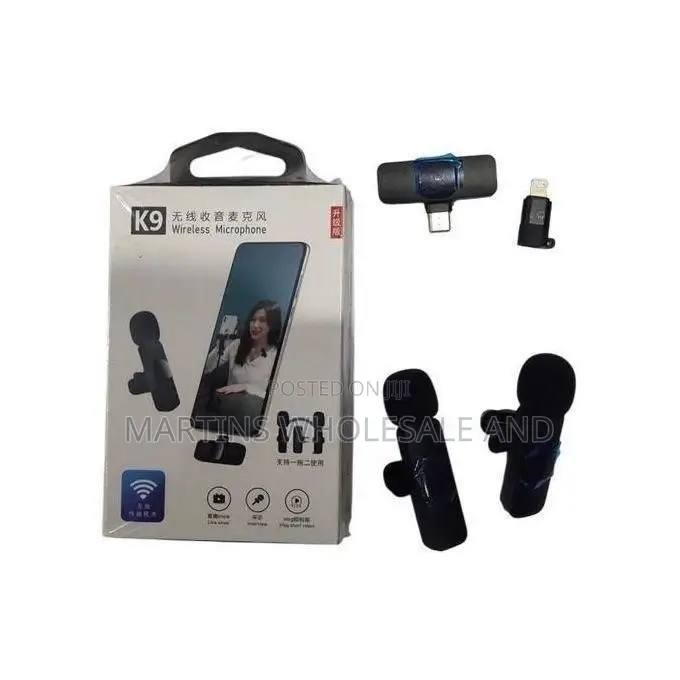
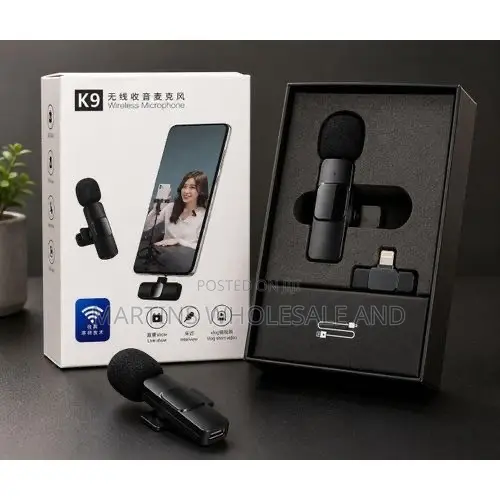
Charge First: Charge the clip-on microphone transmitter using the included USB cable before your first use.Plug the Receiver: Insert the USB-C receiver piece firmly into your smartphone's charging port. If you are using an older iPhone with a Lightning port, attach the small included USB-C to Lightning adapter to the receiver first.Power On: Press and hold the power switch on the back of the microphone until its indicator light turns green. It should pair automatically with the receiver.Troubleshooting Connectivity IssuesIf the light blinks or your phone does not pick up audio, try these common fixes:Enable OTG Settings (Android): Brands like Oppo, Vivo, Realme, or OnePlus require manual power routing. Go to your phone's Settings, search for "OTG", and turn it on.Use a Third-Party Camera App: The default native camera software on certain
₦ 12,500
Sirrin bada kariya
- Ka da a biya kudi kafin isowar kaya, ko da kudin sallawu
- A hadu da mai kaya a amintaccen wuri a fili
- A duba kayan, a tabbata shi ne ainihin abin da ake bukata
- A tabbatar cewa abin da aka kunshe shi ne wanda aka duba
- Ka da a biya sai an gamsu