Tsarin Enterprise
1/2

Wanda aka yada
Kano, Kano Municipal, 2 awanni da suka gabata
20 adadin kallo
96 " Interactive Whiteboard
Other
Kaya
Sauran
Nau'i
Sabo Fil
Yanayi
Adireshin shago
An tabbatar
An tabbatar
4
Jiha Lagos • Ikeja
3a Somoyo Osundairo street ikeja computer lagos
A rufe yanzu
• Lit - Asa, 09:00-18:00
Abuja (FCT) • Wuse
Intercontinental Plaza, Grand floor shop 1, Wuse Zone 3 Algeria Street.
Neighborhood bridge beside Road Safety Corps Headquarters Abuja
A rufe yanzu
• Lit - Asa, 08:00-18:00
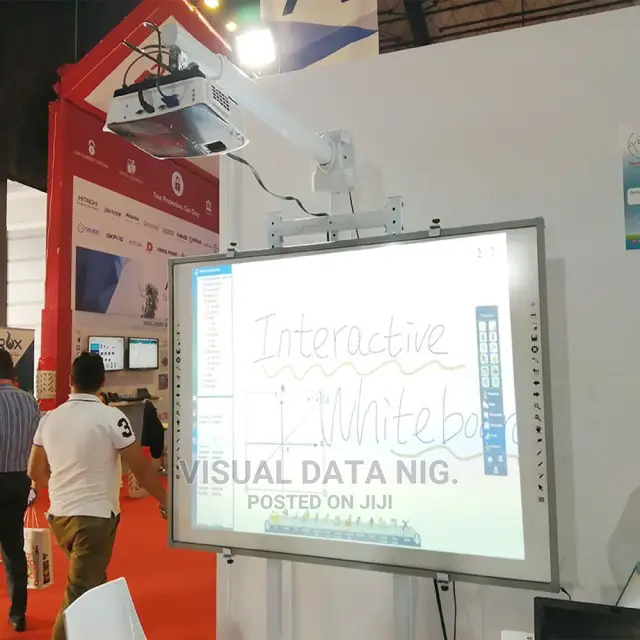
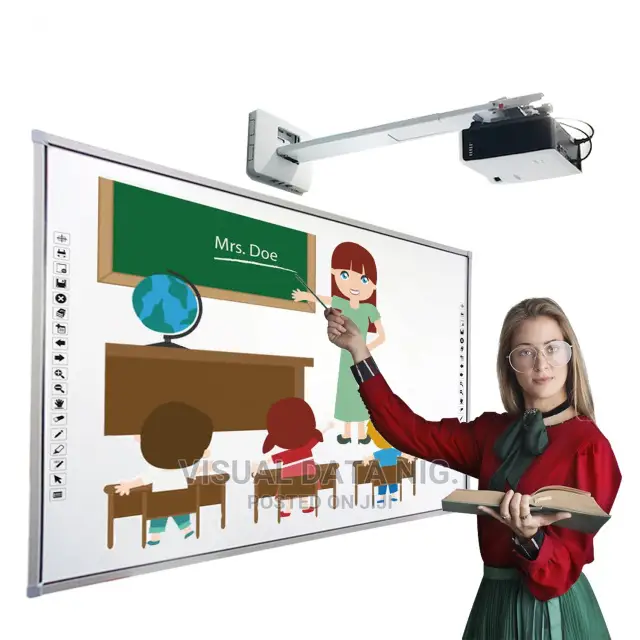
The full setup of an interactive whiteboard presentation system will comprise a desktop or laptop PC, a projector and the interactive whiteboard, all connected. Once properly installed, whatever that is in the PC can be projected to the interactive whiteboard. What's more, the whiteboard also becomes a medium to control and manipulate what is projected from the PC's desktop. You can write to it on the board, highlight or magnify parts and do other things that help focus attention to highpoints you want to drive home. Things done on the board can also be saved to the PC.
What that means is that rather than invite a class of students to surround your laptop to view what you would like to show from it, you project all that stuff to the interactive whiteboard and will have the flexibility to control it.
₦ 395,000
Sirrin bada kariya
- Ka da a biya kudi kafin isowar kaya, ko da kudin sallawu
- A hadu da mai kaya a amintaccen wuri a fili
- A duba kayan, a tabbata shi ne ainihin abin da ake bukata
- A tabbatar cewa abin da aka kunshe shi ne wanda aka duba
- Ka da a biya sai an gamsu